↗ Open in Google Docs
.docx.doc.odt.rtf
→ native Google Docs, opened in your browser.
A Finder Quick Action: right-click Word, Excel or CSV files and they open as native Google Docs and Sheets a few seconds later. No Google Drive for desktop, no sync folder.
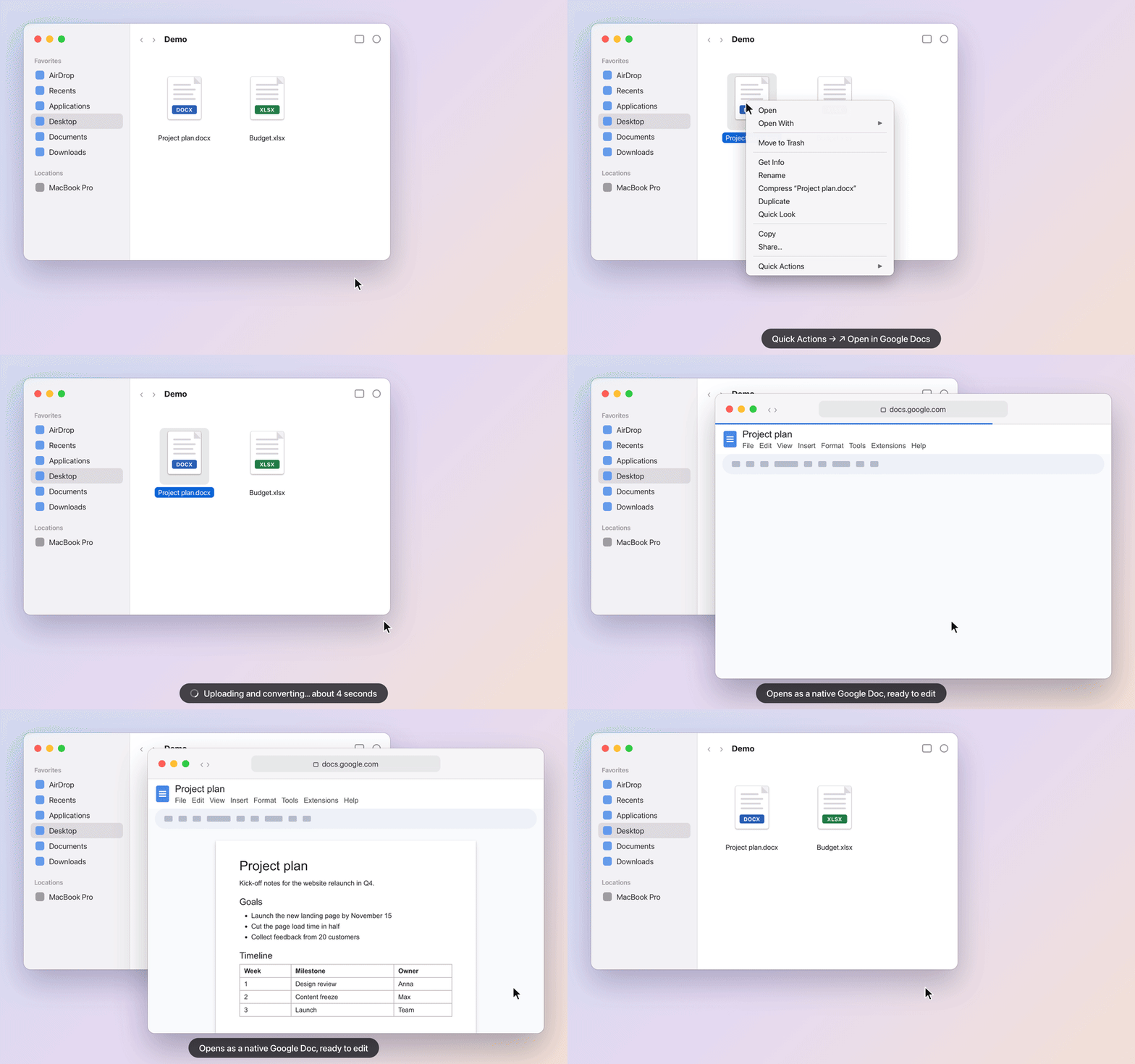
→ native Google Docs, opened in your browser.
→ native Google Sheets, opened in your browser.
Converted files go to a “From Mac” folder in your Google Drive.
Upload and conversion happen in a single Google Drive API call: about 3–5 seconds per file, up to 8 files at a time. Most of that time is Google converting the file.
Every upload carries a random tag in its Drive appProperties. If Google stops answering mid-upload, the tool looks the file up by that tag and opens it instead of uploading it twice.
Password-protected or damaged file, no internet, full Drive, sign-in needed: each one gets its own clear macOS notification.
Files go straight from your Mac to your own Google Drive. There is no server in between and no telemetry.
The tool uses the drive.file scope, so it can only see the files it created, not the rest of your Drive.
Free and open source under the MIT license. Issues and ideas are welcome on GitHub.
github.com/neebird/open-in-google-docs